

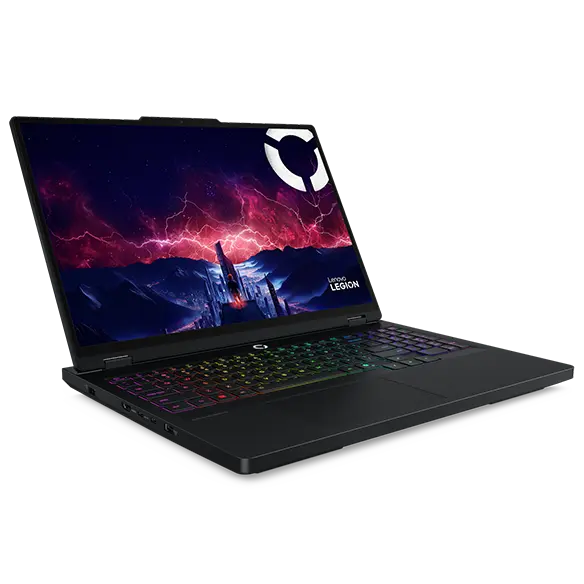
Compact gaming PCs have revolutionized how we experience high-performance gaming in limited spaces. These powerhouse machines pack a serious punch without demanding an entire desk. Modern small form factor builds face unique thermal and power challenges that traditional towers never encountered. Smart performance scaling systems step in to solve these exact problems.
The system automatically controls your computer’s energy consumption and thermal emission according to your current activities. The technology maintains a cool operation for your small computer system during basic tasks while providing maximum performance during critical periods. The best part is these systems work silently in the background. You get maximum performance when gaming and whisper-quiet operation when browsing.
Let’s talk to understand in detail
1. Dynamic Voltage and Frequency Scaling (DVFS)
DVFS stands as the foundation of modern performance scaling. This system reduces your processor’s voltage and clock speed during idle periods. The best compact gaming computer uses this technology to stay cool and efficient during everyday use and automatically switch to full performance the moment you start gaming.
How DVFS Saves Power
Your CPU doesn’t need full speed when checking emails or watching videos. DVFS detects light workloads instantly. The system then:
- Lowers voltage to the minimum safe levels.
- Reduces clock frequency proportionally.
- Cuts power consumption by up to 70%.
- Maintains instant response times.
The technology monitors CPU usage every millisecond. When you launch a game, the system ramps up immediately.
Real-World Benefits
With the assistance of dynamic voltage frequency scaling, a gaming PC and a compact system will yield substantial savings in battery life. Heat generation drops dramatically during non-gaming sessions. Your fans stay quiet when you’re not pushing limits. Most importantly, our performance scales perfectly with demand.
2. GPU Boost Technology
Modern graphics cards feature intelligent boost algorithms. These systems push clock speeds beyond base specifications when thermal headroom exists.
Your GPU constantly monitors its temperature sensors. When temperatures stay below target thresholds, the boost kicks in. Clock speeds increase automatically without manual overclocking. This delivers:
- Extra 10-20% performance gains.
- Zero stability risks.
- Automatic thermal protection.
- Consistent frame rates.
The system pulls back speeds if temperatures climb too high. This protects your expensive graphics card from damage. Compact cases benefit tremendously since cooling capacity varies by workload.
With the global gaming PC market size expected to surpass $129.93 billion by 2030, the rise of compact gaming computers will surely accelerate adoption worldwide.
3. Adaptive Power Management
This system learns your usage patterns over time. The technology predicts when you’ll need full performance versus light computing power.
Machine learning algorithms analyze your daily routines. The system recognizes gaming sessions versus productivity work. Power states adjust proactively rather than reactively. Benefits include:
- Faster response to workload changes.
- Reduced wear on components.
- Lower electricity bills.
- Extended hardware lifespan.
Your compact PC essentially becomes smarter each day. The learning process happens completely automatically in the background.
4. Precision Boost Overdrive
AMD processors feature this aggressive scaling technology. PBO pushes all-core frequencies higher than standard boost specifications.
Smart Thermal Monitoring
The system evaluates cooling capacity in real-time. Better cooling solutions unlock higher sustained frequencies. PBO considers:
- Current socket temperatures.
- VRM thermal conditions.
- Case airflow effectiveness.
- Power delivery capabilities.
Compact builds with excellent cooling can match larger systems. The technology ensures you extract maximum value from your hardware investment.
Safe Overclocking
PBO operates within AMD’s safe voltage and temperature limits. You gain performance without risking component damage. The system backs off automatically if conditions become unfavorable. This makes it perfect for compact gaming builds where monitoring is crucial.
5. Intelligent Fan Curves
Modern motherboards and GPUs ship with smart fan control systems. These technologies balance noise levels against cooling requirements.
Fan speeds adjust based on multiple temperature sensors. The curves become more aggressive under gaming loads. During light tasks, fans can stop completely. Key advantages include:
- Near-silent operation at idle.
- Optimal cooling under load.
- Extended fan bearing life.
- Customizable temperature targets.
You can fine-tune curves through software interfaces. Most users find default settings work perfectly, though. The system handles everything automatically once configured.
6. Package Power Tracking
Intel’s PPT monitors total processor power consumption. The system ensures CPUs stay within specified thermal design power limits.
This technology prevents power delivery system overload. Compact motherboards often feature modest VRM designs. PPT protects these components from excessive current draw. The scaling happens so quickly that you never notice performance drops.
7. Per-Core Performance States
Modern CPUs can scale each core independently. High-priority threads run on boosted cores while background tasks use efficiency cores.
This granular control maximizes battery life in portable systems. Gaming workloads get directed to performance cores automatically. Background downloads and updates run on slower efficiency cores. The result is:
- Better multitasking performance.
- Lower overall power consumption.
- Improved thermal efficiency.
- Smoother gaming experiences.
Your operating system handles core assignment automatically. The hardware responds with appropriate power states instantly.
8. Resizable BAR Technology
This newer scaling system improves GPU memory access speeds. The CPU can address the entire graphics memory pool simultaneously.
Traditional systems accessed VRAM in small chunks. Resizable BAR removes this bottleneck completely. Performance gains reach 5-15% in modern games. The technology requires:
- Compatible motherboard BIOS.
- Modern GPU architecture.
- Proper driver support.
- Simple BIOS configuration.
Once enabled, the system works automatically. Frame rates improve across most contemporary game titles. This technology particularly helps compact builds maximize limited hardware resources.
Conclusion
Smart performance scaling transforms compact gaming computers from compromised solutions into legitimate powerhouses. The eight technologies function as a unified system that produces desktop-level performance while using compact equipment. Your small form factor build can now match or exceed traditional towers in most gaming scenarios.
They represent the future of efficient high-performance computing, where every watt counts and space comes at a premium. Choose components that support these features, and your compact gaming PC will punch well above its weight class for years to come.
