

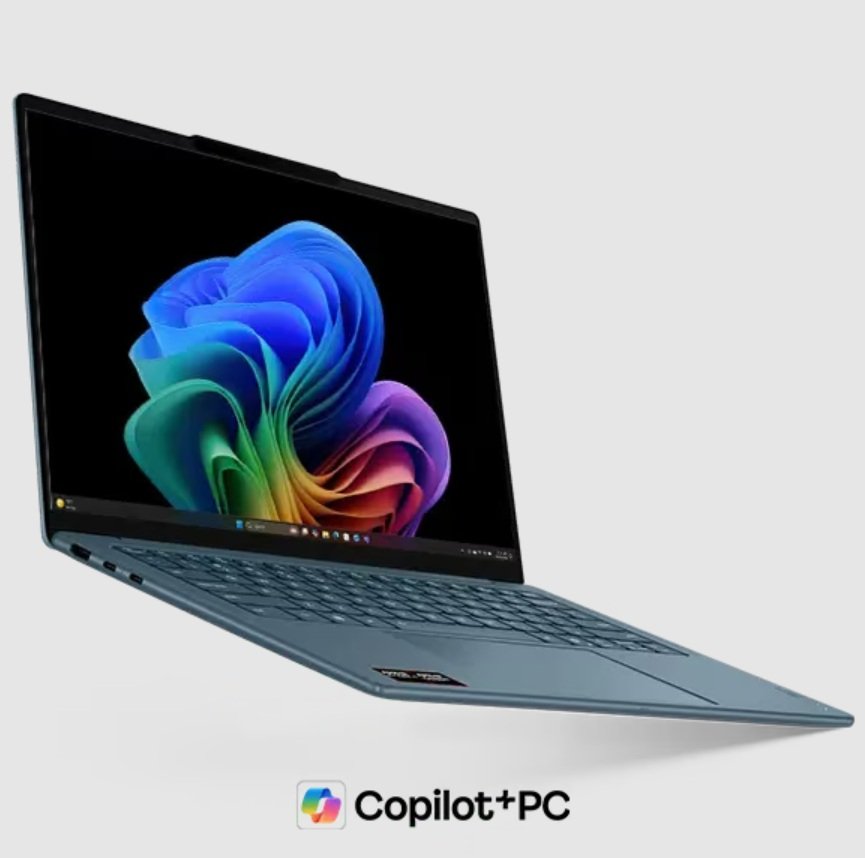
Modern AI PCs are changing how we use computers every day. These machines handle heavy tasks like generating images or translating speech in real-time. This work requires massive amounts of energy. Engineers must find ways to save battery life while keeping performance high. They developed specific techniques to manage power efficiently. These methods ensure your laptop stays cool and lasts all day. You get the best of both worlds with fast AI and long battery life.
This article explores eight clever ways modern AI-enhanced PCs manage their energy. We will look at how hardware and software work together. Each step improves the user experience significantly. You will learn how your computer thinks about every single watt of power. Understanding these tricks helps you appreciate the tech in your hands.
1. Smart Brain Sorting with the NPU
Most modern AI PCs now include a Neural Processing Unit. The chip performs AI tasks more efficiently than a typical processor does. The system operates with lower power consumption while achieving equivalent performance levels. The system sends simple AI chores to this dedicated spot. This move keeps the main processor quiet and cool. By focusing the workload here, the battery lasts much longer. Your AI-enhanced PC becomes a powerhouse that delivers high-throughput AI inference at a fraction of the power cost, maximizing efficiency without sacrificing responsiveness.
The Magic of Dedicated Silicon
Dedicated chips are much more efficient than general ones. They use simple paths to move data around quickly. This efficiency means less heat builds up inside your laptop frame.
Since the NPU handles the heavy lifting, other parts of the chip can rest. This leads directly to our next technique involving mathematical shortcuts.
2. Trimming the Math via Quantization
AI models usually start with very complex and large numbers. These numbers take up a lot of memory and power to process. Engineers use a trick called quantization to shrink these numbers down. It turns big decimals into small integers. The AI still gets the right answer, but does it much faster. Smaller numbers require less electrical movement across the circuit board. This saves a massive amount of energy during every calculation.
Why Small Numbers Win Big
Shrinking data sizes reduces the total work for the memory. Low-power memory can then handle the data flow easily.
Once the math is smaller, the computer can then decide which parts of the model to actually use.
3. Pruning Neural Networks to Optimize AI PC Performance
AI models often contain many parts that do not contribute to the final result. Pruning is the process of finding and removing these useless connections. A pruned AI model is much lighter and faster than a full one. Your AI-enhanced PC does not waste power on calculations that do not matter. This creates a streamlined path for data to travel. You get the same smart results with half the energy cost.
Pruning makes the model slim, but the system still needs to manage how fast it runs.
4. Shifting Gears with Dynamic Scaling
Your PC does not always need to run at full speed. Dynamic scaling adjusts the clock speed based on what you are doing. If you are just typing a prompt, the system slows down. When the AI generates a video, the system ramps up the power. This is just like a car shifting gears to save fuel on the highway. It prevents the hardware from burning energy when it is not necessary. The transitions happen in milliseconds, so you never feel a lag.
Adjusting speed is great, but managing the memory is just as vital for saving juice.
You might not know, but the market of AI-enhanced PCs is continuously expanding. The global market is projected to surpass $260.43 billion by 2030
5. Staying Local with On-Device Processing
Sending data to the cloud uses a lot of Wi-Fi power. Modern AI-enhnaced PCs try to do everything locally on the machine instead. This saves the energy needed to run the wireless radio constantly. It also keeps your data private and secure since nothing leaves the laptop. Processing on-device is faster because there is no waiting for a server. Local execution is the ultimate power saver for mobile workers.
By keeping tasks local, the system can then use smart memory tricks to stay fast.
6. Smart Memory Buffering
Moving data back and forth from the RAM uses significant electricity. Modern systems use smart buffering to keep data close to the processor. This reduces the distance the electrical signals must travel. Shorter distances mean less resistance and lower power consumption. The system predicts what data the AI will need next. It keeps that information ready in a low-power cache. This reduces the stress on the main system memory significantly.
While memory stays efficient, the software also plays a role through clever scheduling.
7. Dynamic AI Model Loading Based on Runtime Demand
The computer does not need to start every AI feature at the same time. Dynamic loading tells the PC to only wake up specific tools when you click them. Background tasks stay in a deep sleep mode until they are absolutely necessary. This prevents power drain from apps you are not using. It keeps the system resources free for your active window. This selective wake-up call is a masterclass in energy efficiency.
After managing when tasks start, the PC must finally look at how it handles the screen.
8. Screen Aware Power Dimming
The display is often the biggest power hog on any portable device. Modern AI-enhanced PCs use the NPU to watch your eyes and your presence. If you look away, the AI dims the screen instantly to save power. When you look back, it brightens up before you even notice. This smart sensing ensures the screen only uses high power when your eyes are on it. It integrates the camera and the processor for total energy harmony.
Conclusion
Modern technology proves that we do not have to choose between power and battery. These eight techniques work together to create a seamless experience. Your PC stays fast, cool, and ready for any challenge. Manufacturers are discovering more effective methods to reduce energy consumption throughout the year. The complete capabilities of AI technology are now accessible to you without the need for electrical power. The era of the efficient AI-enhnaced PCs is finally here for everyone.
