

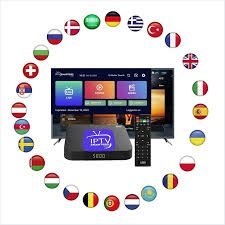
Streaming technology has changed how viewers watch television. Traditional cable services often limit flexibility and content choice. Firestick iptv provides a simple way to stream live TV channels, movies, sports, and on demand content through internet connectivity. With an easy setup process and powerful features, users can access thousands of global channels directly from their television.
This guide explains the complete installation process, performance optimization methods, and essential tips to achieve smooth streaming quality. By following each step carefully, anyone can configure Firestick IPTV quickly and enjoy uninterrupted entertainment.
Understanding Firestick IPTV Technology
Internet Protocol Television delivers television content using internet data instead of satellite signals or cable lines. Firestick iptv uses applications that connect to IPTV servers and stream live broadcast channels directly to the screen.
The system works through three main components:
- Firestick streaming device connected to the television
- IPTV player application that loads streaming channels
- IPTV service that provides playlist access
Once configured, the device displays channel lists, program schedules, and video libraries within a simple interface. This structure allows viewers to choose content instantly without waiting for scheduled broadcasts.
Why Firestick IPTV is Popular Among Modern Viewers
Modern viewers expect convenience, affordability, and high-quality visuals. Firestick IPTV provides a strong alternative to cable subscriptions.
Key benefits include:
- Access to international live channels
- High definition and 4K streaming support
- Flexible viewing schedule
- Compatibility with multiple devices
- Easy installation process
- Cost effective entertainment solution
- Continuous channel updates
Users can customize their channel lists according to language, category, and interest preferences.
Firestick IPTV Device Requirements
Before starting the setup process, users should ensure the required equipment is available.
Essential requirements include:
- Fire TV Stick device
- Stable broadband internet connection
- HDMI compatible television
- IPTV subscription credentials
- IPTV player application
Stable internet speed ensures smooth streaming performance without buffering interruptions.
Recommended internet speeds:
- 10 Mbps for standard definition
- 20 Mbps for high definition
- 40 Mbps for ultra high definition content
- 60 Mbps for multiple devices streaming simultaneously
These speeds help maintain consistent video quality.
Step by Step Firestick IPTV Setup Guide
The installation process is straightforward and requires minimal technical knowledge. Follow each step carefully to configure Firestick IPTV successfully.
Step 1: Connect Firestick to Television
Insert the Firestick device into the HDMI port of the television. Connect the power adapter and switch on the device. Select the HDMI input channel on the television screen.
Once powered, connect the Firestick to your WiFi network.
Step 2: Access Firestick Home Screen
After connecting to the internet, navigate to the Firestick home screen. Ensure the system software is updated to the latest version for compatibility with IPTV applications.
Updated software improves streaming performance and security.
Step 3: Install IPTV Player Application
Search for a compatible IPTV player application from the Firestick app store. IPTV players allow users to load channel playlists provided by IPTV services.
Popular IPTV players support M3U playlist formats or login credentials.
Install the selected IPTV player and launch the application.
Step 4: Add IPTV Playlist
Enter the IPTV playlist link or login credentials provided by the IPTV service provider. The application will process the information and display available channels.
After loading the playlist, categories such as sports, movies, news, and entertainment become visible.
Step 5: Configure Video Settings
Adjust playback settings according to internet speed capability. Choose video resolution options that match connection stability.
Lower resolution reduces buffering during slower connections, while high resolution improves picture clarity when bandwidth is strong.
Step 6: Start Streaming Channels
Select any live channel and begin streaming. Firestick IPTV allows instant switching between channels without delay.
Users can mark favorite channels for faster navigation.
Optimizing Firestick IPTV for Best Performance
Proper configuration improves streaming stability and ensures uninterrupted playback.
Important optimization tips:
Maintain Strong Internet Connection
Reliable internet connection ensures smooth video delivery. Place router close to Firestick device to maintain strong signal strength.
Clear Application Cache Regularly
Temporary files may slow down application performance. Clearing cache improves loading speed and responsiveness.
Update IPTV Applications Frequently
Updated apps include performance improvements and compatibility enhancements.
Limit Background Applications
Close unused applications running in background to free device memory.
Restart Device Periodically
Restarting Firestick refreshes system resources and improves functionality.
These simple adjustments significantly improve viewing experience.
Channel Categories Available on Firestick IPTV
Firestick IPTV services provide access to diverse content categories suitable for different viewer preferences.
Popular categories include:
- Sports channels broadcasting live matches
- News networks providing global updates
- Movie channels featuring recent releases
- TV series libraries
- Kids educational programming
- Documentary channels
- Music entertainment networks
Users can explore content from multiple countries and languages.
Advantages of Firestick IPTV Over Traditional Cable
Traditional cable subscriptions often require expensive hardware installations and long term contracts. Firestick IPTV offers greater flexibility and convenience.
Key advantages include:
- Lower monthly cost
- Portable streaming device
- Access to international channels
- Quick installation process
- Customizable viewing experience
- On demand content availability
These features make Firestick IPTV a preferred choice for modern households.
Troubleshooting Firestick IPTV Issues
Technical problems occasionally occur during streaming. Most issues can be resolved quickly.
Common problems and solutions include:
Buffering Issues
Check internet speed and reduce video resolution settings.
Application Freezing
Restart Firestick device or reinstall IPTV player.
Playlist Not Loading
Verify playlist link accuracy and refresh application.
Audio Delay
Adjust synchronization settings within IPTV player.
Slow Navigation
Remove unused applications to increase available storage.
Routine maintenance ensures stable performance.
Security Tips for Safe IPTV Streaming
Security plays an important role when streaming online content.
Important safety practices include:
- Use strong passwords for IPTV accounts
- Avoid downloading unknown applications
- Keep Firestick software updated
- Use secure internet connection
- Select reliable IPTV service providers
Secure streaming environments protect personal information and maintain uninterrupted access.
Future of Firestick IPTV Technology
IPTV technology continues to improve through advanced cloud streaming systems and improved video compression.
Future improvements may include:
- Faster channel loading speeds
- Improved content recommendations
- Enhanced streaming stability
- Ultra high definition video expansion
- Cross device synchronization features
These developments will further enhance user experience and streaming efficiency.
Conclusion
Firestick IPTV provides a simple method to stream live television without relying on cable connections. With easy installation, customizable channel options, and strong performance capabilities, Firestick IPTV continues to grow in popularity among viewers seeking flexible entertainment solutions. Proper configuration, stable internet connectivity, and regular maintenance ensure consistent viewing quality.
By following the setup steps and optimization techniques outlined above, users can enjoy smooth streaming performance and access a wide range of global entertainment content.
FAQs
1. What is Firestick IPTV
Firestick IPTV is a streaming solution that allows users to watch live TV channels through internet connection using Firestick device.
2. Is Firestick IPTV easy to install
Yes, the setup process involves installing IPTV player app and entering playlist credentials.
3. What internet speed is required for Firestick IPTV
At least 20 Mbps is recommended for HD streaming quality.
4. Can Firestick IPTV stream international channels
Yes, IPTV services provide access to channels from multiple countries.
5. How can buffering issues be reduced
Maintaining stable internet speed and adjusting video resolution improves playback quality.
For more information: Fire IPTV Hub
