

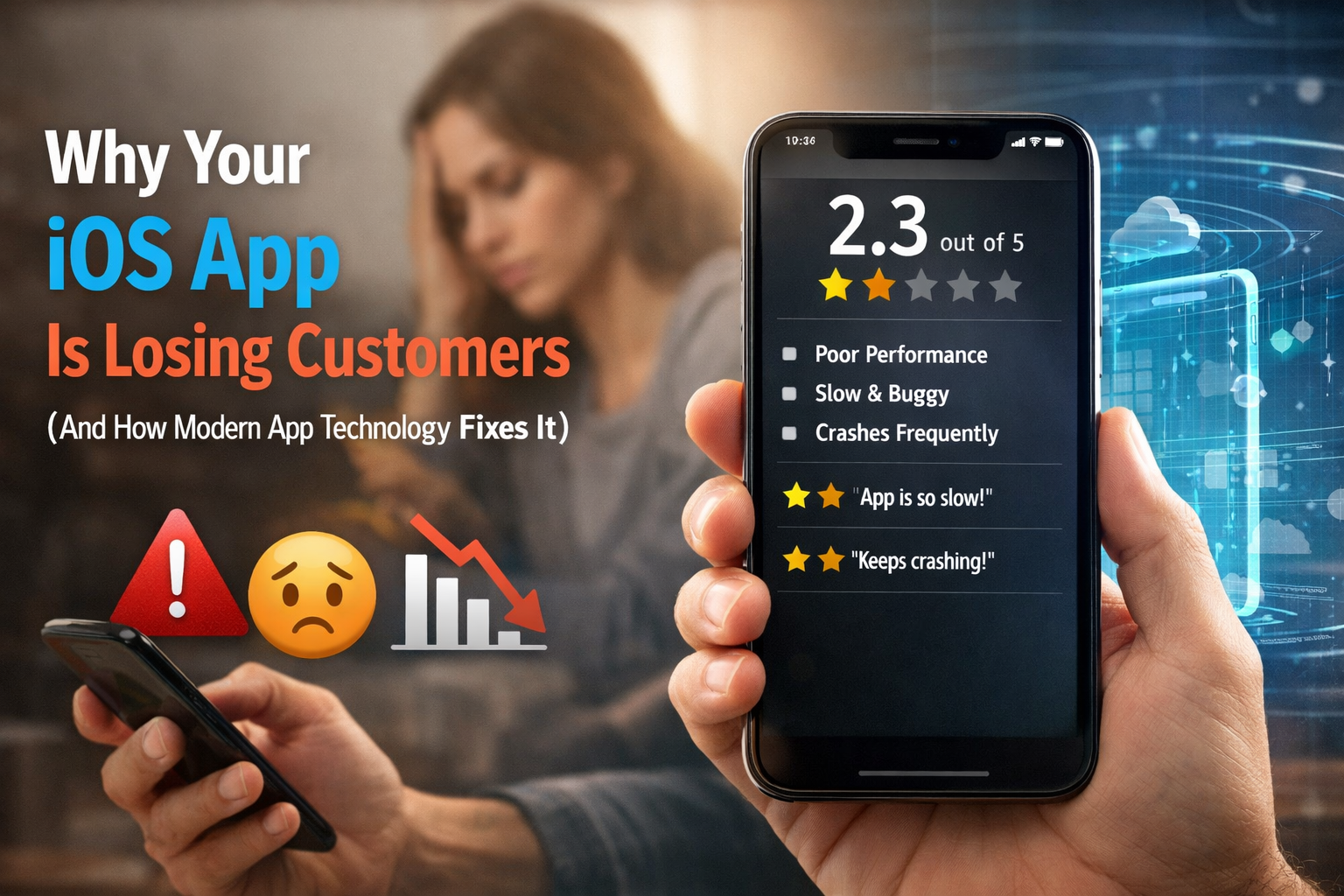
If your iOS app feels slow, freezes during usage, crashes unexpectedly, or simply frustrates users at critical moments, you are not dealing with a small technical issue.
You are dealing with a business leak happening in real time.
Every second your app delays response, every crash during checkout, every lag during navigation is silently pushing your customers away. And the worst part? You often don’t even see it happening.
Users don’t complain anymore. They don’t send emails or wait for updates hoping things will improve. Instead, they simply leave the app and move on to a competitor. The most damaging part is that they rarely return again, meaning the loss is silent, immediate, and often unnoticed until it starts affecting your revenue and retention metrics.
This is how modern mobile businesses lose revenue—not in big failures, but in small friction points repeated thousands of times a day.
Let’s go deep into what is actually happening inside struggling iOS apps, why it happens at a technical level, and how modern app technology completely transforms performance, retention, and revenue.
Your iOS app is no longer just an app — it is your business engine
A lot of business owners still treat apps like “digital tools”. That mindset is outdated.
Today, your iOS app is:
- Your primary sales channel
- Your customer onboarding system
- Your checkout system
- Your support system
- Your brand experience layer
In many businesses, the app is now more important than the website.
Because mobile users behave differently:
- They expect instant responses
- They expect zero friction
- They expect smooth transitions
- They expect “no thinking required” UX
If any of these expectations break, the user mentally disconnects. And once that happens, recovery is extremely difficult.
The harsh truth: users don’t tolerate slow apps anymore
The harsh truth is that users no longer tolerate slow apps. We are living in a completely different user behavior era where expectations are extremely high. Modern users constantly compare your app with platforms like Instagram for instant speed, Amazon for seamless checkout experience, Uber for real-time updates, and banking apps for instant feedback systems. In this environment, even a delay of 1–2 seconds starts to feel like a failure in the user’s mind because their expectations are shaped by these fast, highly optimized platforms.
Here’s what actually happens in user psychology.
Step 1: Delay occurs : where the user notices loading, lag, or a slight pause in response.
Step 2: Doubt begins :where they start questioning whether the app is working properly or has frozen.
Step 3: Friction increases : as patience reduces and frustration slowly builds up during the wait.
Step 4: Exit decision : where the user loses interest and closes the app without thinking twice.
Step 5: Replacement : where they immediately switch to a competitor that offers a smoother and faster experience.
The most important part is that this entire psychological journey can happen extremely quickly—often within just 15–30 seconds—making app speed and responsiveness a critical factor for user retention.
Why iOS apps lose customers faster than other platforms
OS users are particularly sensitive because Apple has trained them over the years to expect a very high standard of experience. They are used to smooth animations that feel natural and fluid, fast transitions between screens without any lag, stable performance even during heavy usage, and consistent UI behavior across the entire system. Because of this strong ecosystem expectation, even a small failure in performance immediately stands out and feels noticeable to the user.
Unlike web apps, mobile apps behave in a much more demanding environment and this increases the impact of any inefficiency.
Key points:
- iOS apps stay installed on the user’s device and remain visible on the home screen
- They directly compete for user attention with other high-quality apps
- They continuously run in device memory, even when not actively opened
- They require constant background optimization to maintain smooth performance
- Any delay, lag, or inefficiency is instantly felt due to tight system integration
Because of these factors, even minor performance issues in an iOS app are not hidden—they are immediately visible in the user experience and directly affect how users perceive the quality of your product.
The real cost of a poor-performing iOS app
Let’s break down what “bad performance” actually costs you in business terms.
1. Revenue leakage
Revenue leakage means you are losing money during user actions inside your app, especially at critical points like checkout, booking, or payment. When users face issues such as lag, freezing screens, slow API responses, or UI delays, they often abandon the process midway.
Even a small drop in conversion rate can silently result in significant daily revenue loss because users who were ready to buy simply exit before completing the action.
2. Acquisition waste
Acquisition waste happens when you spend money on marketing but fail to convert those users due to poor app performance. You invest in ads, installs, and campaigns to bring users into your app, but if the app is slow or unresponsive, users leave within seconds.
This means your marketing efforts are actually successful in bringing traffic, but your app fails to retain or convert that traffic into real customers, making your entire acquisition spend ineffective.
3. Brand trust damage
Brand trust damage refers to the long-term negative perception users develop after a bad experience. A single poor interaction can lead to negative reviews, immediate uninstall behavior, and negative word-of-mouth.
In mobile apps, trust is extremely fragile because users expect reliability. Once that trust is broken, it becomes very difficult to convince users to return or recommend your app to others.
4. Long-term retention loss
Long-term retention loss means users do not come back after their first bad experience. In mobile apps, retention is not something that builds slowly over time—it is decided within the first few minutes of usage.
If the initial experience is slow, frustrating, or unstable, users mentally disconnect from the app and rarely give it a second chance, resulting in permanent loss of engagement and lifetime value.
5 silent signs your iOS app is already losing customers
Most apps don’t fail suddenly—they degrade silently.
Here are the strongest warning signals.
1. High drop-off within first 10 seconds
Users leaving your app within seconds of opening it is a strong sign of performance or UX issues. It usually happens due to slow loading, heavy data requests, blocking UI, or poor app initialization. The first screen should feel instant and smooth—if users feel even a slight delay, they quickly lose interest and exit the app.
Key points:
- Users exit within first few seconds
- Caused by slow loading or heavy data processing
- Poor API response or blocked UI thread
- First screen must load instantly
- Leads to immediate user loss
2. Checkout or booking abandonment
Users start the checkout or booking process but leave before completing it. This happens due to slow payment flow, delayed form validation, freezing screens, or network issues. At this stage, users are already ready to convert, so even small delays create doubt and lead to instant drop-off.
Key points:
- Users abandon checkout or booking midway
- Caused by slow payment, validation, or freezing screens
- High sensitivity stage as users are ready to buy
- Even small delays reduce trust
- Direct impact on revenue loss
3. Reviews mentioning speed or crashes
When users repeatedly mention issues like slow performance, freezing, or crashes in App Store reviews, it indicates a deeper structural problem. These reviews strongly affect new users because they read feedback before downloading the app.
Key points:
- Users report slow speed or crashes publicly
- Indicates structural performance issues
- Negative reviews reduce future downloads
- Impacts trust and conversion rates
- Affects app reputation long-term
4. No consistent updates
If the app is not updated regularly, it starts to fall behind Apple’s ecosystem changes. This leads to performance issues, compatibility problems, and declining App Store ranking. Over time, the app becomes unstable and less visible.
Key points:
- App is not updated regularly
- Causes compatibility and performance issues
- Bugs accumulate over time
- App Store ranking drops
- Leads to reduced visibility and usage
5. Feature development is extremely slow
When even small features take weeks or months to build, it shows the app is built on outdated or complex architecture. Modern apps should support fast and flexible development without breaking existing systems.
Key points:
- Features take too long to develop
- Indicates outdated or rigid architecture
- Small changes cause unexpected issues
- Slow iteration cycle
- Reduces business agility and growth
What is actually broken inside your app (deep technical truth)
Most struggling apps share one root issue: They are built on outdated architecture and inefficient data handling patterns.
Let’s simplify.
Older iOS apps often:
- load everything at once during startup
- block UI thread with heavy tasks
- tightly couple components
- lack proper async execution
- depend on outdated libraries or patterns
This creates a chain reaction:
Slow startup → user frustration
Blocking UI → poor experience
Heavy memory usage → crashes
Tight coupling → slow development
Poor structure → expensive maintenance
Even if your UI looks modern, the backend behavior defines performance.
The biggest misconception business owners have
The biggest misconception many business owners have is that if their app looks good, it will automatically perform well. This is completely incorrect. The visual design or UI is only the surface layer of an application and does not determine how fast or stable it actually runs. Real performance comes from the underlying system, including architecture, data flow design, async handling, backend efficiency, and memory management.
These technical foundations control how smoothly the app responds to user actions, how quickly data loads, and how stable the experience feels under real usage. A visually beautiful app that is poorly built underneath will still fail because users do not experience design alone—they experience performance, speed, and reliability.
Old vs modern iOS architecture (simple breakdown)
| Aspect | Old iOS Architecture (Problem-Prone Systems) | Modern iOS Architecture (Optimized Systems) |
| Data Handling | UI waits for data to load | UI loads instantly, data loads in background |
| Thread Usage | Everything runs on main thread | Heavy tasks run asynchronously |
| API Calls | Large API calls block screens | Optimized, segmented API requests |
| Error Handling | Minimal or basic error handling | Strong, structured error handling |
| Code Structure | Tightly connected components | Modular and loosely coupled architecture |
| Performance | Slow and unresponsive experience | Fast and smooth user experience |
| Scalability | Difficult and expensive to scale | Easy to scale and extend |
| Overall Result | Slow, fragile, expensive to maintain | Stable, fast, and cost-efficient system |
Why This Difference Matters in Real Apps
The difference between old and modern iOS architecture directly impacts real user experience. Users don’t see the code, but they instantly feel its effect through speed, stability, and smooth interactions.
In the first few seconds of using an app, users decide whether to stay or leave. If the app feels slow or unresponsive, they quickly lose interest and often never return. This becomes even more critical during important actions like checkout or onboarding, where any delay leads to drop-offs and lost revenue.
In the end, users only experience the surface, but the real performance depends on what’s happening behind the scenes. A strong architecture creates a smooth experience, while a weak one creates friction that users immediately notice.
Read more about how the Best Mobile App Development Company can help you build a high-performing and scalable iOS application.
Why Modern Apps Feel “Instant”
Modern iOS apps feel fast because they are designed to avoid waiting screens and loading delays. Instead of blocking the user, they handle tasks in the background while keeping the app interactive.
They use techniques like async/await, background data loading, lazy loading, caching, and progressive rendering to show content quickly and smoothly.
As a result, users feel like everything loads instantly, even when processes are still running behind the scenes.
How modern iOS technology directly fixes business problems
Now let’s connect technical improvement to business impact.
1. Faster apps increase conversions: Checkout and booking become smoother, reducing delays and directly increasing revenue.
2. Stability improves trust: Fewer crashes build user confidence, improve ratings, and increase downloads.
3. Better performance increases retention: A smooth and responsive app keeps users engaged for longer.
4. Faster development improves business agility: Quick updates and feature releases help you stay ahead of competitors.
5. Long-term cost reduction: Fewer bugs and easier maintenance reduce overall development and scaling costs.
This is exactly how modern iOS technology, along with Custom iOS Application Development Services, connects technical improvements directly to real business outcomes, making your app not just a product, but a powerful revenue-driving system.
Role of the right development partner
This is where many businesses go wrong—they choose developers based only on cost, quick delivery promises, or UI design quality. But these factors alone do not ensure a high-performing app.
What truly matters is strong architecture design, performance optimization, scalability planning, and long-term maintainability. These are the foundations that decide how stable and scalable your app will be in the long run.
A strong partner like SISGAIN, offering mobile app development solutions, Custom iOS Application Development Services, and performance-focused engineering builds apps that are not just functional, but designed to grow with your business.
Rebuild vs optimization: what you should do
Choose optimization if:
Your app is stable, issues are minor, and the existing architecture is still clean and manageable.
Choose rebuild if:
Your app crashes frequently, performance is consistently poor, updates are slow, and the structure is outdated or difficult to scale.
A proper audit is always the first step:
Before making any decision, a technical audit helps you clearly understand whether optimization is enough or a full rebuild is required.
How to improve iOS app performance (real checklist)
1.Optimize API calls: Make network requests faster and more efficient by reducing unnecessary or heavy data fetching.
2. Reduce startup load: Ensure the app launches quickly by avoiding heavy processing on the first screen.
3. Implement caching: Store frequently used data locally to reduce repeated loading from the server.
4. Improve async handling: Run background tasks properly so the UI remains smooth and responsive.
5. Monitor crash analytics: Track crashes regularly to identify and fix issues before they affect more users.
6. Remove heavy dependencies: Eliminate unnecessary libraries that slow down performance and increase app size.
7. Simplify architecture: Use a clean and modular structure for easier maintenance and better performance.
8. Update libraries regularly: Keep frameworks and dependencies updated to ensure stability and compatibility.
These are the core pillars of effective iOS app performance improvement.
What this means for your revenue (final connection)
Let’s connect everything. When your app improves:
- faster speed → more engagement
- smoother UX → higher retention
- fewer crashes → better ratings
- better ratings → more installs
- more installs → higher revenue
So performance is not technical—it is financial.
Final truth
Most iOS apps don’t fail because of bad ideas or weak concepts. They fail because performance is ignored from the beginning, architecture becomes outdated over time, optimization is delayed until issues become visible, and technical debt silently builds up in the background.
By the time businesses finally notice the problem, users have already experienced poor performance, lost trust, and moved on to better alternatives.
This is exactly why companies like SISGAIN focus on building performance-driven, scalable, and future-ready iOS applications that are designed to prevent these issues from the very start.

FAQ (Frequently Asked Questions)
1. Why is my iOS app losing users?
Most iOS apps lose users due to slow performance, crashes, poor user experience, outdated architecture, or delays during key actions like onboarding and checkout.
2. What are the main signs of poor iOS app performance?
High drop-off rates, slow loading screens, checkout abandonment, frequent crashes, and negative App Store reviews are the most common warning signs.
3. How does app performance affect business revenue?
Poor performance leads to lower conversions, reduced retention, bad ratings, and lost users, all of which directly reduce revenue and long-term growth.
4. When should I rebuild my iOS app instead of optimizing it?
If your app has frequent crashes, outdated architecture, slow updates, and scaling issues, a rebuild is often more effective than simple optimization.
5. How can modern iOS development improve my app?
Modern iOS development improves speed, stability, scalability, and user experience using techniques like async processing, caching, and optimized architecture.
