

A single stolen password is all it takes to bring down a business. Not some dramatic hack with green code scrolling across a black screen, just an employee reusing the same password they’ve had since 2019, typed into a fake login page they didn’t look at closely enough. That’s how most breaches actually start. And it’s exactly the kind of thing multi-factor authentication is built to stop.
If you’re running a business right now, big or small, this is one of the easiest security upgrades you’ll ever make. It costs little to nothing, takes minutes to set up, and shuts one of the biggest doors attackers use to walk right in.
What Is Multi-Factor Authentication
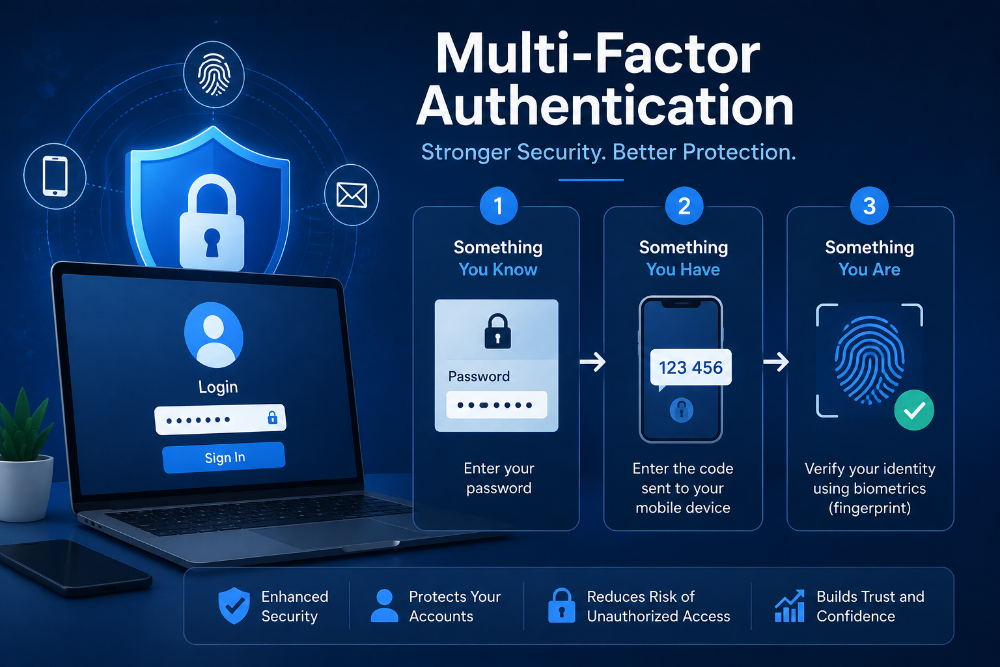
Multi-factor authentication, MFA for short, means a password alone won’t get you in anymore. You need a second piece too: a code texted to your phone, a fingerprint, a face scan, or a number generated by an app that refreshes every thirty seconds. Even if someone steals your password, they’re stuck without that second piece.
Picture your front door. The password is the lock. MFA is the deadbolt. Either one alone can be picked given enough time. Put them together and most people trying to break in just give up and move to an easier target.
For a business, that matters more than it sounds like it would. One compromised login, whether it’s an email account, a payroll system, or a shared drive, can expose client data, financial records, or private conversations. MFA won’t make you untouchable, but it does remove the single weak point most attacks are built around.
Why Passwords Alone Are Not Enough
People reuse passwords constantly. Not out of laziness, really, just because remembering forty different ones isn’t realistic, so the same combination ends up guarding a work email and a food delivery app at the same time. The trouble starts when one of those gets leaked in a breach, which happens all the time, and suddenly that password is out there for anyone to try on other accounts.
Then there’s phishing, and it’s nowhere near as obvious as it used to be. A well-built fake login page can fool even a careful employee on a rushed Monday morning. Type your password into it once, and the attacker already has it.
This is where things fall apart for cybersecurity for business if MFA isn’t part of the picture. A stolen password becomes basically worthless the second a login demands a second factor. The attacker’s got the key, but not the deadbolt code, and that’s usually enough to stop them cold.
Business Security Benefits of MFA
You don’t need an IT department to turn this on. Most of the tools businesses already use, Google Workspace, Microsoft 365, Slack, banking platforms, payment processors, come with MFA built in and ready to go. It’s usually just a toggle buried in the account’s security settings, nothing you have to build yourself.
A small retail shop might start by switching on MFA for its email and point-of-sale system, since those tend to draw the most attention from attackers. A company that’s scaling up might roll it out across every employee login, especially anyone touching financial tools or customer records. Either way, setup runs a few minutes per account, not days.
We hear this a lot at AtechVibe, talking to small business owners who assume security tools are reserved for companies with much deeper pockets. MFA is one of the clearest exceptions to that idea. It’s free in most platforms already, and what it protects far outweighs the small effort involved.
Common MFA Myths for Business Owners
Some owners worry MFA will slow their team down. In reality it adds a few seconds to logging in, not minutes, and most apps let you stay signed in on devices you trust so you’re not re-verifying every time you open your laptop.
Others figure they’re too small to be worth targeting. Attackers rarely pick targets by size. Automated attacks scan thousands of logins at once, and an unprotected small business is just as easy to catch as a large one. Easier, honestly, since bigger companies usually already have more layers of security in place.
There’s also the belief that antivirus software or a firewall already covers this. Those tools do matter, but neither one stops someone from simply logging in with a password they stole. MFA closes a gap those other tools were never built to touch.
How to Set Up Multi-Factor Authentication
Start with the accounts that matter most: email, banking, payroll, anything holding customer information. Turn MFA on there first. Most platforms walk you through it with a straightforward prompt, usually tucked under “Security” or “Login Settings.”
Authenticator apps beat text message codes in most cases, since SMS can occasionally be intercepted. Google Authenticator and Microsoft Authenticator are both free and take a couple of minutes to connect to each account.
Once your core accounts are covered, fold MFA into how you onboard new employees. Make it part of the setup process from day one instead of something people are supposed to remember to do later.
Conclusion
Multi-factor authentication isn’t going to patch every hole in a business’s security, but it shuts down one of the most common ways attackers actually get in. It’s cheap, quick to set up, and protects the accounts that matter most without requiring anyone on your team to become a security expert.
If business security has felt like too big a topic to tackle, start here. Turn MFA on for your email today, then work through your other accounts over the next week or so.
Frequently Asked Questions
Is multi-factor authentication really necessary for a small business?
Yes. Small businesses are targeted just as often as large ones, sometimes more, because attackers know smaller companies are less likely to have strong security in place. MFA closes one of the easiest entry points.
Does MFA slow down daily work?
Only slightly. Logging in takes a few extra seconds, and most platforms let you stay signed in on devices you trust, so you’re not verifying constantly.
What’s the difference between MFA and two-factor authentication?
Two-factor authentication is a type of MFA that uses exactly two verification steps. MFA is the broader term and can include two or more factors, like a password plus a code plus a fingerprint.
Which accounts should get MFA first?
Start with email, banking, payroll, and any system holding customer or financial data. These are the accounts most attractive to attackers and the most damaging if compromised.
Is MFA expensive to set up?
Not usually. Most business tools already include MFA as a built-in, free feature. You’re mainly just turning it on, not buying new software.
