

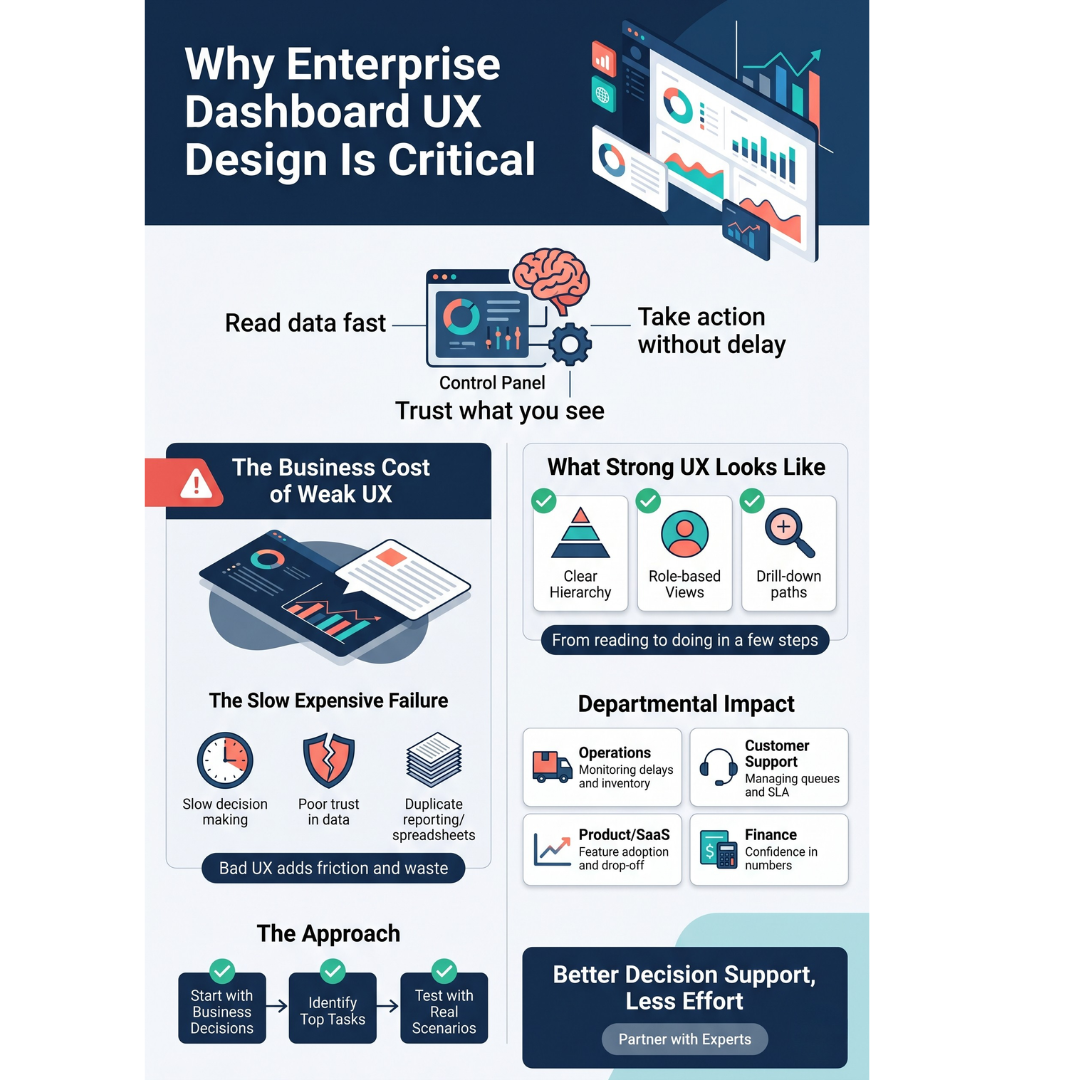
Enterprise teams depend on dashboards to make daily decisions. In practical terms, enterprise dashboard ux design decides whether people can read data fast, trust what they see, and take the right action without delay.
When the UX is poor, teams waste time searching, second guess the numbers, and rely on side spreadsheets or meetings to confirm what the dashboard should have made obvious.
This matters in modern companies because work moves across product, sales, operations, finance, and support. A dashboard is no longer just a reporting screen. It is often the control panel for decisions that affect revenue, service quality, cost, and risk.
The Business Cost of Weak Dashboard UX
Bad dashboard UX rarely fails in dramatic ways. It fails in slow, expensive ways.
People click through too many filters. Metrics lack context. Different teams read the same chart differently. Managers export data because the screen is hard to scan. New users need training for basic tasks. All of this adds friction to work that happens every day.
Common Business Problems Include:
- Slow decision making during time sensitive issues
- Poor trust in data because labels, timestamps, or formulas are unclear
- Duplicate reporting in slides and spreadsheets
- Lower adoption of internal tools
- More support requests from teams who cannot find what they need
In enterprise software, these problems spread quickly because one dashboard may be used by hundreds or thousands of employees across roles.
What Strong Enterprise Dashboard UX Design Looks Like
Good dashboard UX starts with business decisions, not with charts.
A sales leader wants to spot pipeline risk by region. A support manager wants to see which queues are close to missing SLA. A finance team wants fast visibility into spending variance. Each use case needs a different default view, different filters, and different levels of detail.
Strong Dashboards Usually Share a Few Traits:
- Clear hierarchy so the most important signals stand out first
- Role based views so users see what matters to their job
- Plain metric names with definitions and timestamps
- Drill down paths that answer the next question naturally
- Consistent patterns for filters, sorting, and status indicators
- Actions placed close to insights so users can move from reading to doing
This is where many redesigns go wrong. Teams spend time changing colors, cards, or chart styles, but the real issue is task flow. If users cannot move from metric to action in a few steps, the dashboard still feels heavy no matter how polished it looks.
Where Modern Teams Feel the Impact
In real business settings, dashboard UX directly affects output.
Operations
Teams monitor order exceptions, delays, inventory gaps, and supplier issues. If the screen hides the highest risk items, response time suffers.
Customer Support
Supervisors need fast visibility into backlog, first response time, reopened tickets, and agent load. A confusing dashboard turns daily queue management into guesswork.
Product and SaaS Teams
Feature adoption and drop off data matter only when the interface helps users compare trends, segment by account type, and trace behavior changes after a release.
Finance
Leaders need confidence in the numbers. Clear definitions, period comparisons, and audit cues matter as much as charts.
How to Approach a Dashboard Redesign
Start by asking what decisions the dashboard supports. Then look at who uses it, how often, and what they do right after reading it.
A Useful Review Usually Covers:
- The top tasks for each role
- Which metrics are acted on daily, weekly, and monthly
- Where users leave the dashboard to finish work elsewhere
- Which filters are used often and which add noise
- What data users do not trust and why
Testing should happen with real scenarios, not just static screens.
- Ask a sales manager to find at risk accounts
- Ask an operations lead to identify delayed orders
- Ask a support lead to reassign workload
That is where friction shows up.
For teams choosing outside help, enterprise dashboard ux design is not a visual styling task. It needs product thinking, workflow understanding, and experience with data heavy systems.
Why Partner Experience Matters
Enterprise dashboards involve permissions, data logic, edge cases, and many user groups. That is why companies often work with specialists who understand product UX in complex business software. Firms such as F1Studioz are relevant here because they work on enterprise interfaces where the goal is not just a nicer screen, but better decision support for real teams.
The right partner should ask about business context, user roles, and task frequency before discussing layouts.
Conclusion
Modern teams perform better when dashboards are easy to read, easy to trust, and tied closely to action. Good UX reduces confusion, cuts reporting waste, and helps teams move faster without guessing.
If your company is reviewing dashboard UX or comparing design partners like F1Studioz, focus on one question first: does the interface help each user make better decisions with less effort? That is the standard that matters for enterprise dashboard ux design.
FAQs
Q.1 Why is dashboard UX so important in enterprise software?
Ans. Enterprise users make repeated decisions under time pressure. Good UX helps them find signals fast, trust the data, and act without extra steps.
Q.2 What makes an enterprise dashboard different from a basic analytics screen?
Ans. Enterprise dashboards serve many roles, large data sets, permissions, and action driven workflows. They are part of day to day operations, not just reporting.
Q.3 When should a company redesign its dashboard?
Ans. A redesign is worth considering when adoption is low, users depend on exports, training takes too long, or teams argue over what the data means.
Q.4 What should businesses look for in a dashboard UX partner?
Ans. Look for experience with enterprise products, data heavy workflows, research with real users, and a clear focus on decisions and tasks rather than visuals alone.
