
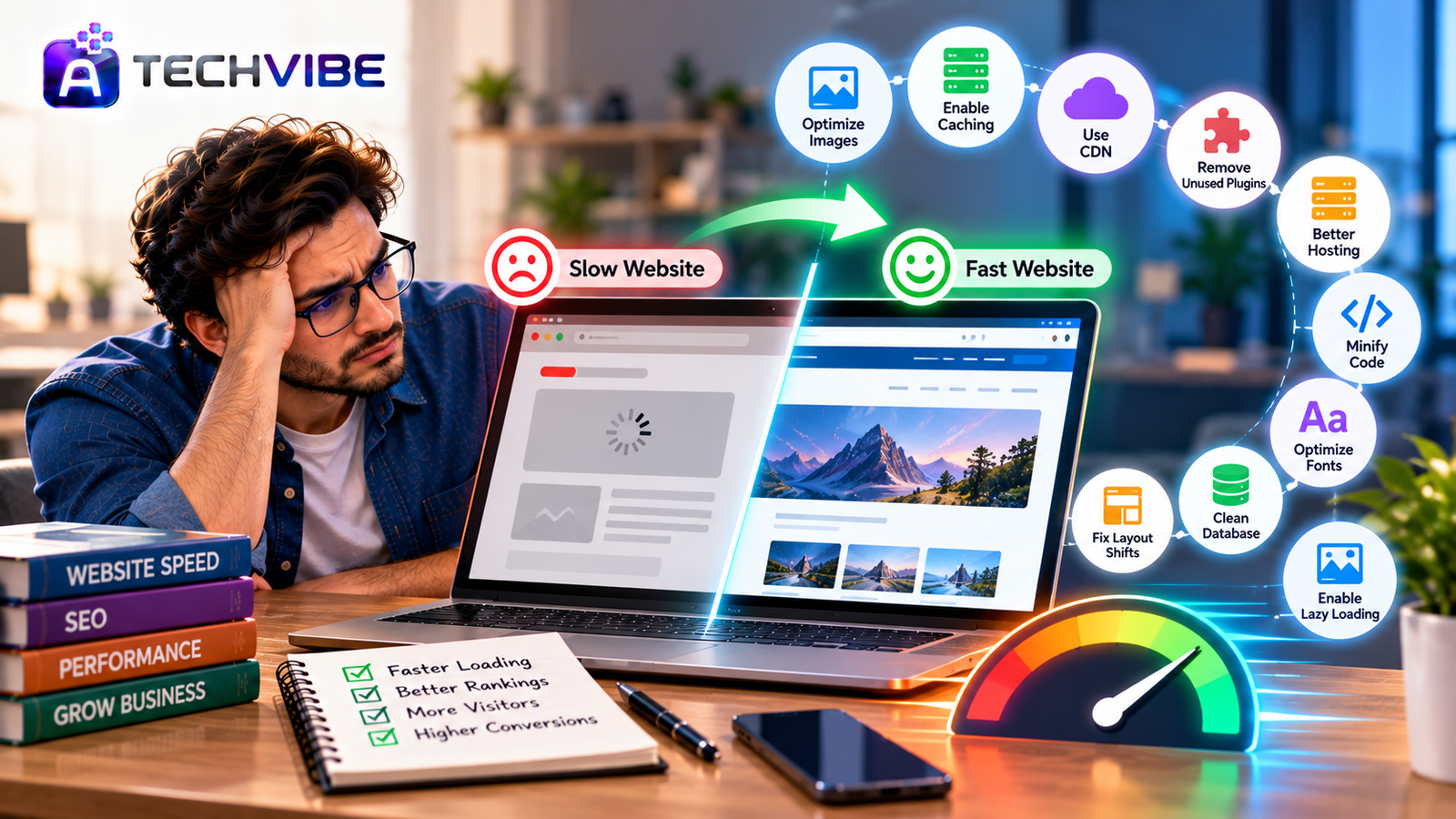
You click your own website link, and then you wait. The page loads in pieces. Images pop in late. The text jumps around just as you try to tap a button. If it frustrates you, imagine how it feels to a first-time visitor who has never heard of your business.
A slow website quietly costs you money. Visitors leave before the page finishes loading, search engines rank faster competitors higher, and ad budgets are wasted on clicks that bounce. The good news is that most speed problems come from a short list of causes, and many can be fixed without rebuilding your site.
Here is how to find out what is slowing you down, and ten fixes that make a real difference.
First, Measure Before You Fix
Do not guess. Test your site so you know where the problems are.
Google PageSpeed Insights is free and gives a score for mobile and desktop, along with specific suggestions. Google Search Console includes a Core Web Vitals report showing how real visitors experience your pages.
Pay attention to three key measurements, known as Core Web Vitals:
Largest Contentful Paint (LCP): how long the main content takes to appear. Aim for under 2.5 seconds.
Interaction to Next Paint (INP): how quickly the page responds when someone taps or clicks.
Cumulative Layout Shift (CLS): how much the page jumps around while loading.
Always test the mobile version first. Most visitors now arrive on phones, and mobile connections are often slower.
Fix 1: Shrink Your Images
Oversized images are the number one cause of slow websites. A photo straight from a camera or phone can be several megabytes, while it only needs to be a fraction of that size on a web page.
What to do: Resize images to the actual size they appear on the page. Compress them before uploading. Use modern formats such as WebP or AVIF, which keep quality high at much smaller file sizes. Many website platforms and plugins can do this automatically.
Fix 2: Turn On Lazy Loading
There is no reason to load an image at the bottom of a long article before the visitor even scrolls there.
What to do: Enable lazy loading so images and videos load only when they are about to appear on screen. Most modern platforms support this with a simple setting. Just make sure the main image at the top of the page is not lazy loaded, or it will appear later than it should.
Fix 3: Use Caching
Without caching, your server builds every page from scratch for every visitor. That takes time and server power.
What to do: Turn on page caching so ready-made versions of pages are stored and delivered instantly. Also enable browser caching, which lets returning visitors reuse files they have already downloaded, such as your logo and stylesheets.
Fix 4: Add a Content Delivery Network
If your server is in one country and your visitors are spread around the world, distance alone slows things down.
What to do: Use a content delivery network (CDN). A CDN stores copies of your site’s files on servers in many locations, so each visitor downloads them from somewhere nearby. Many CDNs also add security protection and free SSL.
Fix 5: Cut Down Plugins and Extra Scripts
Every plugin, chat widget, tracking code and social media embed adds weight to your pages. Over time, sites collect tools nobody uses anymore.
What to do: Review every plugin and script. Remove anything you do not actively need. Replace several small plugins with one well-built option where possible. Be especially careful with third-party scripts such as ad trackers, pop-up tools and embedded feeds, which often slow pages more than anything else.
Fix 6: Upgrade Your Hosting
Cheap shared hosting puts your site on a crowded server with hundreds of others. When their traffic spikes, your site suffers.
What to do: If your site has grown, consider better hosting, such as managed hosting, a VPS or a cloud plan. Check that your server uses a modern, supported version of its programming language (for example, PHP on many websites), since newer versions are usually much faster. Good hosting is one of the simplest speed upgrades you can buy.
Fix 7: Minify and Combine Code
Website code often includes spaces, comments and line breaks that help developers but mean nothing to browsers.
What to do: Minify CSS, JavaScript and HTML to remove unnecessary characters. Defer or delay non-essential JavaScript so it loads after the main content. Many caching tools include these options. Test your site carefully after enabling them, as aggressive settings can sometimes break features.
Fix 8: Load Fonts Smarter
Custom fonts look great, but loading many font styles from external sources can delay text from appearing.
What to do: Limit your site to one or two font families and only the weights you actually use. Host fonts on your own server where possible, and use the “font-display: swap” setting so text appears immediately with a fallback font while the custom font loads.
Fix 9: Clean Up Your Database
Websites store old revisions, deleted comments, spam, expired data and leftover plugin settings. Over months and years, this clutter slows down database queries.
What to do: Clean your database regularly using a trusted tool or with help from your developer. Limit how many post revisions are saved. Always take a full backup before cleaning, just in case.
Fix 10: Stop Layout Shifts
Nothing annoys visitors more than tapping a link and hitting an ad instead because the page jumped at the last second.
What to do: Set width and height for images, videos and ad spaces so the browser reserves the right space before they load. Avoid inserting banners or pop-ups above existing content after the page appears.
Why Speed Matters for SEO and Sales
Page speed is part of how search engines judge user experience. A faster site will not rank on speed alone, but when your content is as good as a competitor’s, speed can be the deciding factor. We cover the bigger picture in SEO strategies for long-term business growth.
Speed matters even more for online stores, where every extra second at checkout risks an abandoned cart. Learn more in how ecommerce SEO services help online stores grow. If you run paid ads, a slow landing page wastes budget on visitors who leave before seeing your offer, a topic covered in our complete guide to search engine marketing.
Do Not Forget Security
Some speed problems are actually security problems. Malware, spam bots and hidden scripts can overload your server and slow every page. Keep your platform, themes and plugins updated, use strong passwords with two-step login for admin accounts, and monitor unusual traffic. Our article on security automation’s impact on cybersecurity teams explains how automated tools can catch these threats early.
When to Call in a Developer
Many fixes above can be done through settings or plugins. But if your site still struggles after the basics, deeper issues may be involved, such as poorly written code, a heavy theme or an outdated platform.
At that point, an experienced developer can audit your site and recommend whether to optimise it or rebuild on a faster foundation. Some businesses move to modern headless setups, which we compare in Contentful CMS vs traditional CMS. If you are considering outside help, see what to expect from a professional web application development agency.
Speed Is a Habit, Not a One-Time Job
Websites get slower over time as new images, plugins and scripts are added. Make speed part of your routine. Test your key pages every month, compress every new image before uploading, and question every new plugin before you install it.
A fast website feels professional, keeps visitors engaged and gives your content the best chance to rank and convert. Start with the biggest problems your speed test reveals, fix them one by one, and you will often see results within days.
For more practical guides on websites, SEO and business technology, explore the latest articles on AtechVibe.