Every growing business hits a point where the old way of working starts to crack. Tasks that once took ten minutes now take an hour. Small mistakes slip through. Your best people spend their days copying data between spreadsheets instead of doing the work they were hired for.
That is usually the moment business automation stops being a “nice idea” and becomes a necessity. Automation means using software to handle repetitive tasks with little or no human effort. It is no longer reserved for large corporations. Affordable tools now let even a five-person team automate invoices, emails, reports and much more.
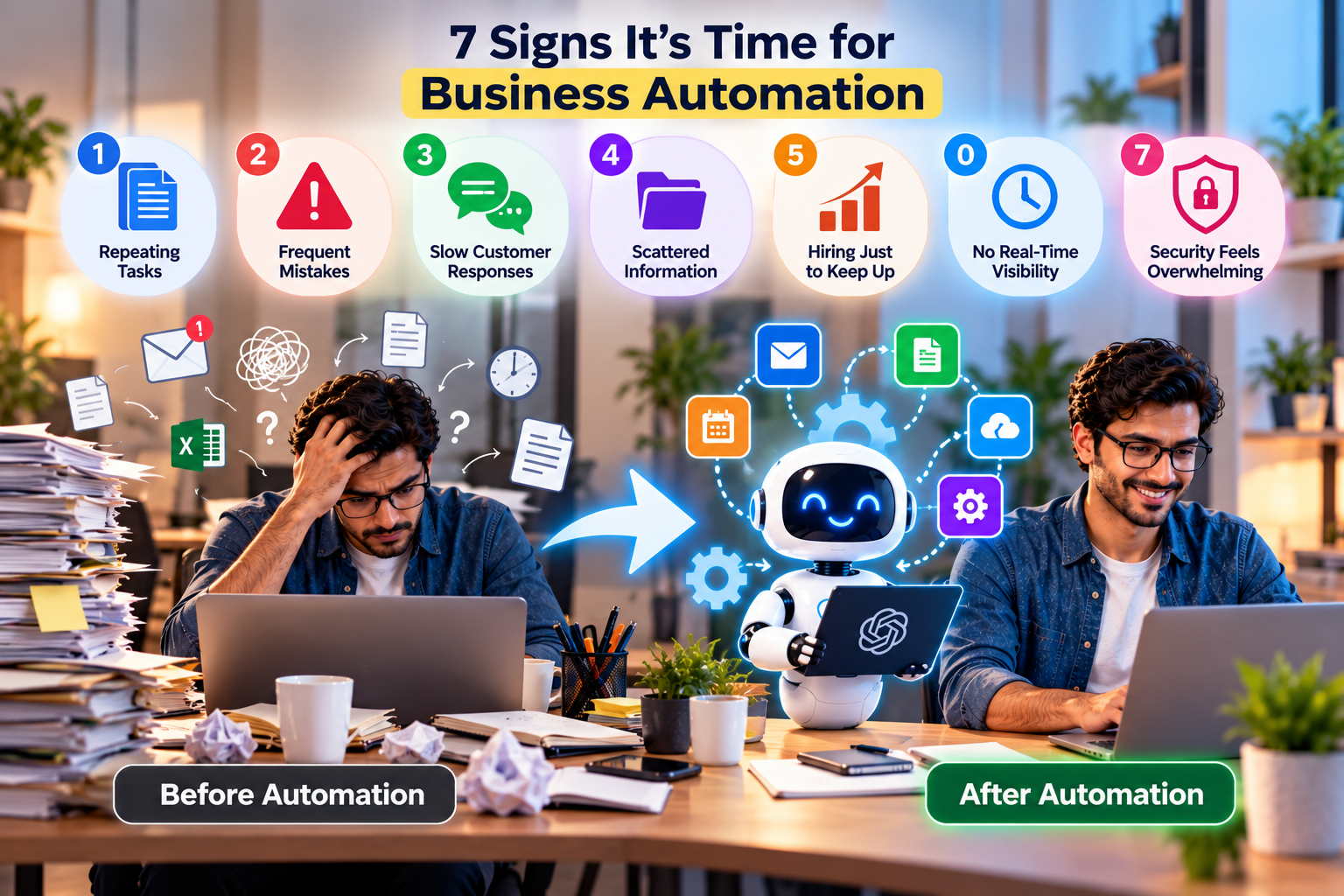
But how do you know you are ready? Here are seven clear signs, along with practical ideas for what to automate first.
Sign 1: Your Team Repeats the Same Tasks Every Day
What it looks like: Someone copies order details from emails into a spreadsheet. Someone else sends the same welcome message to every new customer. Every Friday, a manager spends two hours building the same report.
What to automate: Data entry between apps, standard emails, recurring reports and routine reminders. If a task follows the same steps every time, software can usually handle it.
A simple test: if you can write the task as a clear checklist, it is a strong candidate for automation.
Sign 2: Mistakes Keep Creeping In
What it looks like: Wrong prices on invoices. Duplicate customer records. Orders shipped to old addresses. Numbers that do not match between systems.
What to automate: Syncing data between tools so information is entered once and shared everywhere. Automated validation rules can also flag missing or unusual entries before they cause problems.
Humans are excellent at judgement, but not at repeating the same detail-heavy task hundreds of times without error. Software is.
Sign 3: Customers Wait Too Long for Responses
What it looks like: Enquiries sit unanswered over the weekend. Customers ask the same questions again and again. Leads go cold before anyone follows up.
What to automate: Instant acknowledgement emails, follow-up sequences, appointment booking and answers to common questions through chat tools. Many businesses now use AI agents to handle simple requests from start to finish, a trend we explain in how AI agents are changing the way businesses work.
Fast responses do not just keep customers happy. They often decide who wins the sale.
Sign 4: Information Is Scattered Everywhere
What it looks like: Customer details live in inboxes. Files sit on personal laptops. Nobody knows where the latest version of a document is. New team members spend weeks asking where things are.
What to automate: Centralise data in shared systems, then automate how information flows into them. Form submissions can create records automatically, documents can be filed into the right folders, and updates can notify the right people.
When knowledge is organised, everyone works faster. Learn more in how AI is transforming enterprise knowledge management.
Sign 5: Growth Means Hiring Just to Keep Up
What it looks like: Every new batch of customers means hiring another person just to handle admin. Revenue grows, but so does the workload at the same pace.
What to automate: Order processing, onboarding steps, billing, scheduling and internal approvals. Automation lets you grow output without growing headcount at the same rate.
This does not mean replacing people. It means freeing them to focus on sales, service, creativity and decisions, the work that actually grows the business.
Sign 6: You Cannot See What Is Happening in Real Time
What it looks like: You only learn about a problem at the end of the month. Reports are outdated by the time they are ready. Decisions are based on gut feeling because current numbers are hard to get.
What to automate: Dashboards that pull live data from your sales, finance and operations tools. Alerts when stock runs low, payments fail or targets slip.
Real-time visibility turns reactive firefighting into proactive management.
Sign 7: Security and Compliance Tasks Feel Overwhelming
What it looks like: Software updates are forgotten. Former employees still have system access. Backups happen “when someone remembers.” Security alerts pile up unread.
What to automate: Scheduled updates and backups, automatic access removal when staff leave, and security monitoring that flags unusual activity. We explore this area in security automation’s impact on cybersecurity teams.
These tasks are easy to postpone and costly to ignore, which makes them perfect for automation.
Where to Start: A Simple 5-Step Plan
Seeing several of these signs? Do not try to automate everything at once. Follow this approach instead.
Step 1: List your repetitive tasks. Ask each team member to write down tasks they repeat daily or weekly and how long they take.
Step 2: Score each task. Rate tasks by time spent, error risk and how simple the steps are. High-time, low-complexity tasks are your best starting point.
Step 3: Start with one quick win. Pick a single process that can be automated within a week or two. Early success builds confidence and support.
Step 4: Choose tools that connect. Look for software that integrates with what you already use. Many CRM, accounting and email platforms include built-in automation. Larger businesses often rely on platforms like those described in Salesforce solutions for customer-centric business growth. Industry-specific tools can help too, as shown in how businesses streamline operations using property management software.
Step 5: Measure and expand. Track hours saved, errors reduced and response times improved. Use those results to choose your next automation.
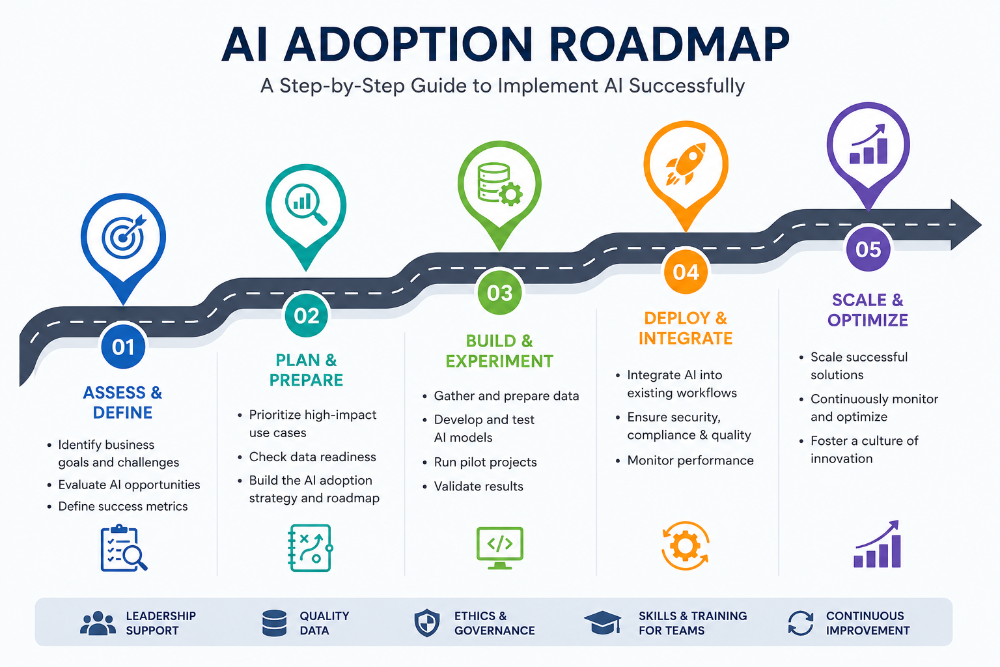
For a wider strategy, our guide to smart digital transformation strategies explains how automation fits into long-term growth.
What You Should Not Automate
Automation is powerful, but not everything should be handed to software.
Sensitive conversations, such as complaints, cancellations or bad news, need a human touch.
Complex decisions with many exceptions still benefit from human judgement.
Broken processes should be fixed before they are automated. Automating a messy process just creates mess faster.
Anything you do not understand well. Map the process clearly first.
A good rule: automate the routine, keep people in charge of the important.
How to Know It Is Working
Measure results before and after each automation. Useful indicators include:
Hours saved per week
Fewer errors or corrections
Faster response and turnaround times
Higher customer satisfaction
Lower cost per order or per customer
Even saving five hours a week across a small team adds up to hundreds of hours a year that can go into growth.
Automation on a Small Budget
You do not need an enterprise budget to start. Many tools offer free plans or low monthly prices, and AI features are increasingly built into everyday apps. Our guide on how small businesses can use AI without a big budget shares affordable ways to begin, and tech trends for small businesses shows where things are heading.
The Takeaway
If your team is buried in repetitive tasks, mistakes keep appearing, customers wait too long or growth means constant hiring, your business is ready for automation. Start small, pick one high-impact process, measure the results and build from there.
The goal is not to replace people. It is to give them back time for the work that truly matters. For more practical guides on business technology and growth, explore the latest articles on AtechVibe.