Social media platforms change their rules constantly. One month your posts reach thousands, the next month almost nobody sees them. Email is different. When someone joins your list, you can reach them directly, without an algorithm deciding who sees your message.
That is why email marketing for beginners remains one of the smartest skills any business owner can learn. It is affordable, measurable and builds real relationships over time. The challenge is knowing what to send, how often to send it and how to avoid ending up in the spam folder. This guide answers all three.
Why Email Still Works
Email gives you something no social platform can: ownership. Your list belongs to you. If a social network changes its algorithm or shuts down your page, your email subscribers are still there.
People also check email with intent. They open messages from brands they trust when they are ready to read, compare and buy. For small businesses, that makes email one of the most cost-effective ways to turn interest into repeat customers.
Before You Send Your First Email
A little setup now prevents big problems later.
Choose an email marketing platform. Do not send bulk emails from your personal inbox. Dedicated platforms handle sign-up forms, list management, templates, automation and unsubscribe links. Many offer free plans for small lists.
Use a professional sender address. Send from your own domain, such as hello@yourbusiness.com, rather than a free email account. It looks more trustworthy and improves delivery.
Set up email authentication. Ask your web or email provider to configure SPF, DKIM and DMARC records for your domain. These settings prove your emails are genuinely from you. Major inbox providers now expect them from anyone sending in volume.
Know the rules. Only email people who have agreed to hear from you. Include your business address and a clear unsubscribe link in every message. Privacy laws differ by country, so check the requirements that apply where you and your subscribers are located.
How to Build Your List the Right Way
A small list of interested people is worth far more than a large list of strangers.
Add a sign-up form to your website. Place it in the footer, on your blog posts and on a dedicated page.
Offer a reason to join. People share their email in exchange for value: a discount, a useful checklist, a free guide or early access to new products.
Collect emails at checkout and in person. Ask customers if they would like updates when they buy online or visit your store.
Promote your list on social media. Share a link to your sign-up page and remind followers what they will receive.
Never buy email lists. Purchased lists damage your sender reputation, break platform rules and rarely produce sales. The same applies to scraping addresses from websites. Build your list with permission only.
What Should You Send?
Most successful email programmes use a mix of a few main types.
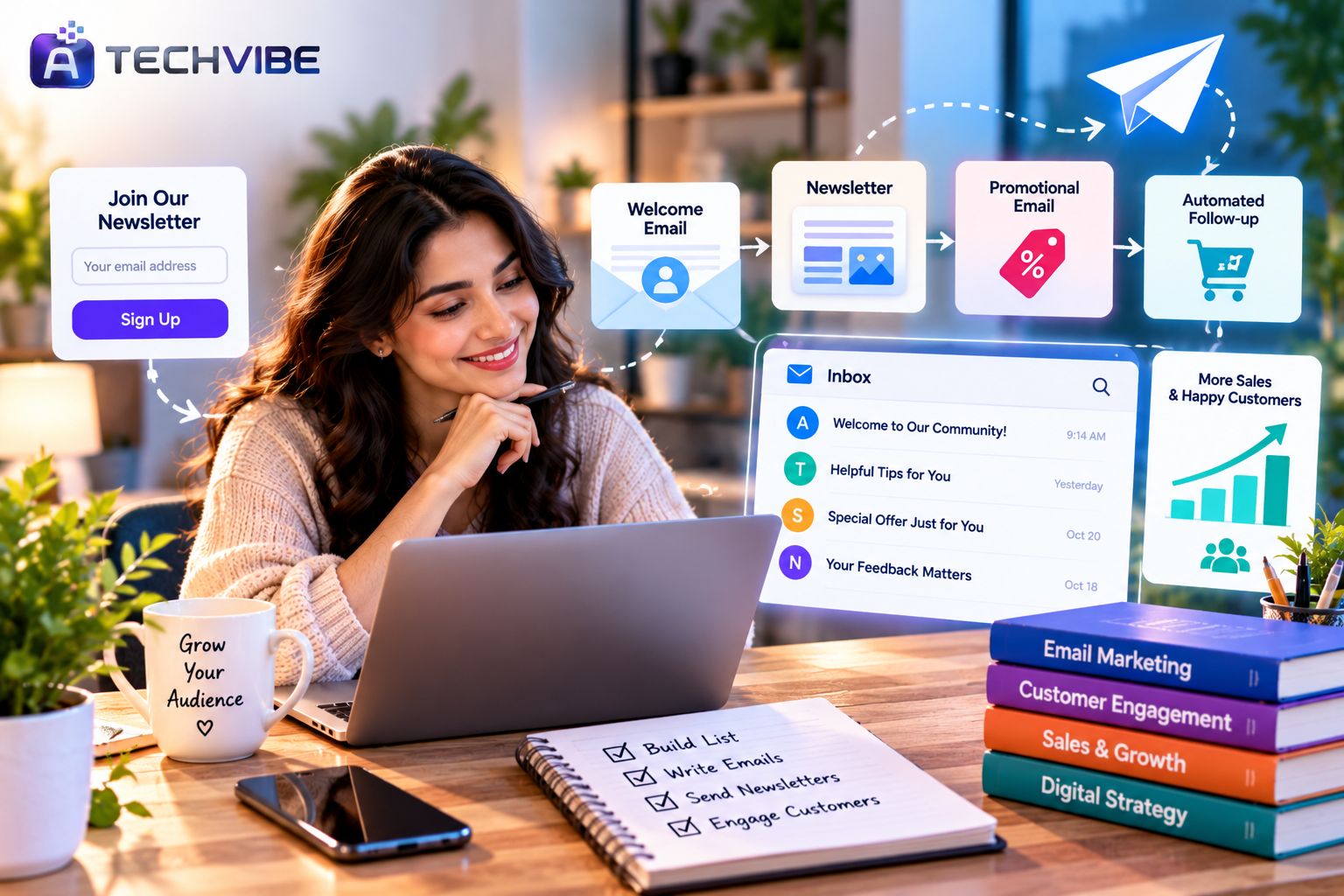
Welcome emails. Sent automatically when someone joins. Introduce your business, deliver any promised offer and explain what they can expect. Welcome emails are usually among the most-opened messages you will ever send.
Newsletters. Regular updates with helpful content, tips, news and featured products. Focus on value, not just selling. Content that teaches or entertains keeps people opening, as we explain in what makes engaging content the core of every successful brand.
Promotional emails. Sales, launches and special offers. Keep them clear, with one main message and one obvious button.
Automated follow-ups. Abandoned cart reminders, post-purchase thank-you notes, review requests and re-order reminders. These run in the background and often bring steady revenue.
Re-engagement emails. Sent to subscribers who have not opened in a while, inviting them back or asking whether they still want to hear from you.
How Often Should You Send?
There is no perfect number, but consistency matters more than frequency.
For most small businesses, one email per week or every two weeks is a good starting point. Send too rarely and people forget who you are. Send too often and they unsubscribe.
Tell subscribers how often you will email when they sign up, then stick to it. Watch your unsubscribe rate. If it rises after you increase frequency, scale back.
As for timing, test different days and times rather than relying on general advice. Your audience is unique, and your platform’s reports will show when your subscribers are most active.
How to Write Emails People Open
Write a clear subject line. Tell readers what is inside or spark genuine curiosity. Keep it short enough to read on a phone. Avoid all capitals and excessive exclamation marks.
Use the preview text. The short line shown after the subject in most inboxes is free extra space to persuade readers.
Keep one main goal per email. Whether it is reading a blog post or using a discount, make the main action obvious.
Write like a person. Use a friendly, natural tone. Short paragraphs and simple words are easier to read on mobile.
Design for mobile first. Most emails are opened on phones. Use a single-column layout, readable fonts and large buttons.
Personalise wisely. Using the subscriber’s name helps, but relevance helps more. Send content based on what people have bought or clicked. AI tools now make this easier, as covered in how AI is improving campaign targeting and conversion tracking and how machine learning is changing customer experiences.
How to Stay Out of the Spam Folder
Only email people who opted in.
Authenticate your domain with SPF, DKIM and DMARC.
Make unsubscribing easy and quick.
Remove addresses that bounce or never engage.
Avoid misleading subject lines.
Keep a healthy balance of text and images.
Send consistently rather than in sudden large bursts.
Which Numbers Should You Track?
Open rate shows how many people opened your email. Recent privacy features in some email apps make this number less precise, so treat it as a rough guide.
Click rate shows how many people clicked a link. This is a stronger sign of real interest.
Conversion rate shows how many people took the action you wanted, such as buying or booking.
Unsubscribe rate tells you whether your content or frequency is putting people off.
Bounce rate shows how many emails could not be delivered. High bounces hurt your sender reputation.
Review these after every send and look for trends over time rather than reacting to a single email.
Common Beginner Mistakes
Buying or scraping email lists.
Sending only sales messages with no useful content.
Forgetting to set up a welcome email.
Using long, cluttered designs that break on mobile.
Ignoring unsubscribes and bounces.
Emailing at random intervals with no plan.
Your First 30 Days
Week 1: Choose a platform, set up your sender domain and authentication, and add a sign-up form to your website.
Week 2: Create a simple welcome email and a sign-up offer. Promote your list on social media and at checkout.
Week 3: Send your first newsletter with one helpful tip, one piece of news and one featured product or service.
Week 4: Review your results, set up one automated email such as a thank-you or abandoned cart reminder, and plan next month’s schedule.
Bringing It All Together
Email works best alongside your other channels. Search brings new visitors, social media builds awareness, and email turns that interest into loyal customers. Our guides to SEO strategies for long-term business growth and the complete guide to search engine marketing show how to attract the visitors who eventually join your list.
If you would rather have experts manage your campaigns, read about how a digital marketing agency supports online business growth.
Start small, stay consistent and always send something worth opening. Within a few months, your email list can become one of your most reliable sources of sales. For more practical digital marketing guides, explore the latest articles on AtechVibe.