You have written a great article, hit publish and waited. Days later, it still does not appear in search results. Before you rewrite anything, the first step is to find out whether Google has actually added the page to its index. If you want to check if a page is indexed, there are four simple ways to do it, and each one tells you something slightly different.
This guide walks through each method, explains what the common Google Search Console messages really mean, and shares practical steps that help new pages get indexed faster. It is written for bloggers, small business owners and anyone managing a website without a dedicated SEO team.
What Does “Indexed” Actually Mean?
When Google finds a page, it goes through three stages. First it discovers the URL, usually through a link or a sitemap. Then it crawls the page, which means its bot visits and reads the content. Finally, it decides whether to store the page in its index, the huge database it uses to show search results.
Only indexed pages can appear in Google Search. A page can be discovered and crawled but still not indexed if Google decides it is not useful enough, is a duplicate, or has a technical issue blocking it. That is why checking index status is so important before you start changing content or chasing rankings.
Method 1: Use the URL Inspection Tool in Google Search Console
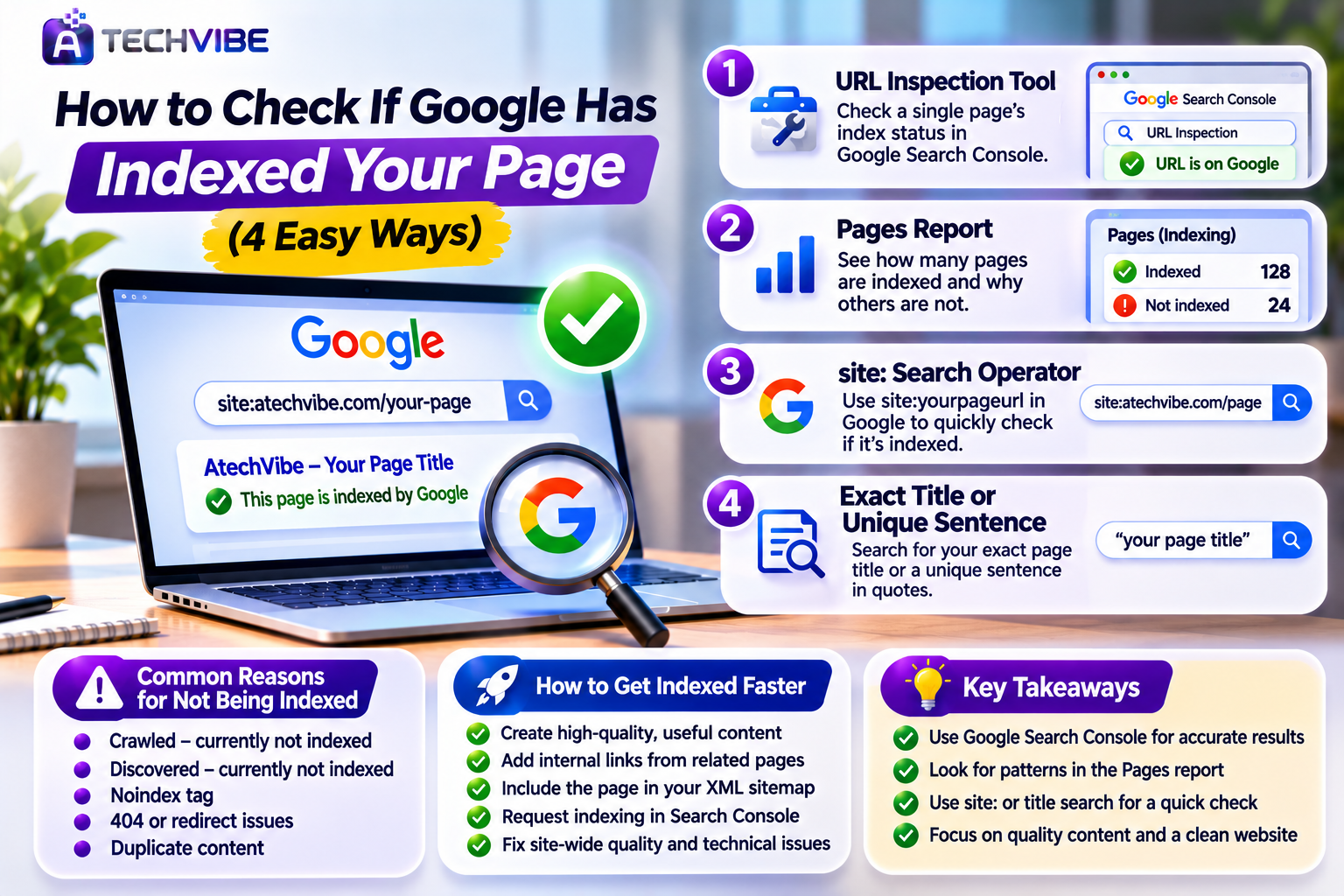
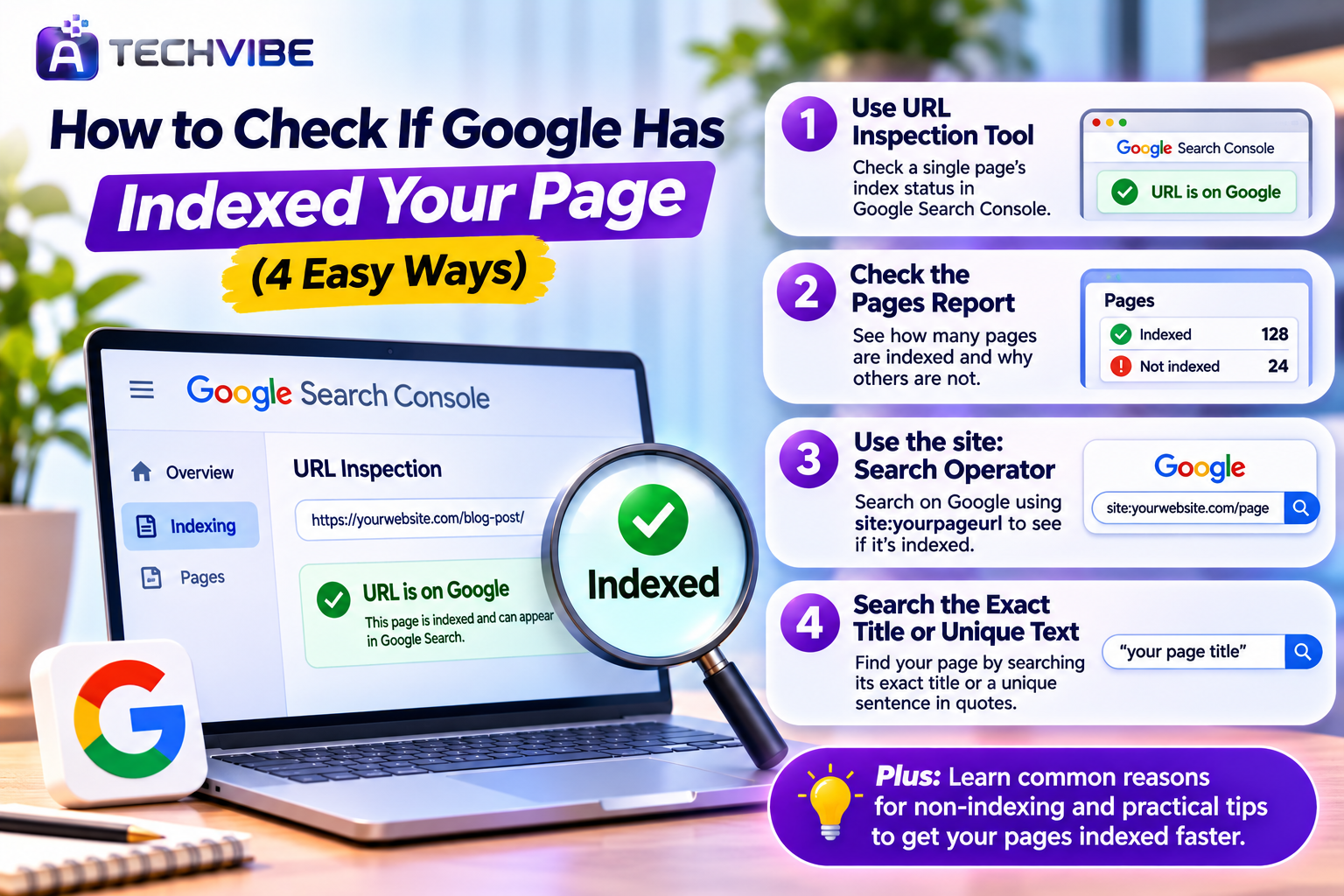
The most accurate way to check if a page is indexed is the URL Inspection tool inside Google Search Console. It is free, and it shows Google’s own data for your page. Simply paste the full page address into the search bar at the top of Search Console and press Enter.
If the result says “URL is on Google,” the page is indexed. If it says “URL is not on Google,” the tool usually explains why, such as the page being crawled but not indexed, blocked by a noindex tag, or not yet discovered. You can also click “Test Live URL” to see whether Google can access the page right now, and use “Request Indexing” to ask Google to crawl it again after you have made improvements.
Method 2: Check the Pages Report in Search Console
While URL Inspection checks one page at a time, the Pages report gives you the bigger picture. You will find it under Indexing in the left menu of Search Console. It shows how many of your pages are indexed and how many are not, along with the reasons.
This report is especially useful for spotting patterns. If hundreds of pages share the same problem, the issue is probably site-wide, such as low-quality content, duplicate pages or a technical setting, rather than something wrong with one article. You can click each reason to see the list of affected URLs and export them for review.
Method 3: Use the “site:” Search Operator
If you do not have Search Console access, you can still get a quick idea from Google itself. Type site: followed by your page address into the Google search bar, without spaces, and press Enter. If the page appears in the results, it is very likely indexed.
Keep in mind that this method is only a rough check. The site: operator does not always show every indexed page, and results can vary. If a page does not appear, it does not always mean it is missing from the index. Use this as a fast first look, then confirm with Search Console whenever possible.
Method 4: Search for the Exact Title or a Unique Sentence
Another quick test is to copy your exact page title, or a unique sentence from the article, and search for it in Google inside quotation marks. If your page shows up, Google has indexed it.
This method also helps you spot copied content. If another website appears with your exact sentence, someone may have republished your work. It is a simple habit that can reveal both indexing problems and content theft.
Why Your Page Might Not Be Indexed
The most common status site owners see is “Crawled – currently not indexed.” This means Google visited the page but chose not to add it. Usually, Google did not find the page valuable enough, or the website as a whole has quality signals that make Google cautious. Thin articles, copied text and websites full of unrelated topics are frequent causes.
“Discovered – currently not indexed” means Google knows the URL exists but has not crawled it yet. This often happens on new websites or sites that Google does not yet crawl frequently. Other common reasons include a noindex tag accidentally added to the page, the page returning a 404 error, a redirect pointing elsewhere, or Google treating the page as a duplicate of another URL and choosing a different version as the main one.
How to Help New Pages Get Indexed Faster
The strongest signal you can send is genuine quality. Write content that answers a real question clearly, shares original insight, and is more helpful than what already ranks. Content that solves problems and keeps readers engaged builds trust over time, an idea we explore in what makes engaging content the core of every successful brand.
Internal links also matter a lot. Link to your new article from your homepage and from older, related posts that are already indexed. Make sure the page is included in your XML sitemap and that the sitemap is submitted in Search Console. Then use the URL Inspection tool to request indexing, but only once, as repeated requests do not speed things up.
Fix Site-Wide Problems First
If many pages are not indexed, the issue is rarely one article. Review your site for low-quality or off-topic content, auto-generated pages, copied text and spammy links. Removing weak pages can improve how Google views the whole website.
Technical health matters too. Slow pages, broken links and confusing site structure make crawling harder. A clear content management system with clean URLs helps, a topic we compare in Contentful CMS vs traditional CMS. For the bigger strategy, our guide to SEO strategies for long-term business growth explains how quality, structure and authority work together.
How Long Does Indexing Take?
There is no fixed timeline. On established, trusted websites, new pages can be indexed within hours or a few days. On new websites, or sites recovering from quality problems, it can take several weeks.
Patience is important here. Constantly editing a page or requesting indexing every day will not help. Instead, focus on publishing consistently helpful content, building internal links and improving overall site quality. Over time, Google tends to crawl and index trusted sites more quickly.
Frequently Asked Questions
Can I pay Google to index my page faster?
No. Google does not accept payment for indexing or organic rankings. Paid ads can show your page in sponsored results, which we explain in our complete guide to search engine marketing, but they do not affect whether your page is indexed.
Should I use indexing tools or services that promise instant indexing?
It is best to avoid them. Many rely on spammy techniques that can harm your site’s reputation. Search Console’s own URL Inspection tool is the safe and recommended option.
Does an indexed page always rank well?
Not necessarily. Indexing simply means the page is eligible to appear in search results. Ranking depends on content quality, relevance, competition and many other factors. Online stores can learn more in how ecommerce SEO services help online stores grow.
When should I get professional help?
If large parts of your site remain unindexed for months despite quality improvements, an experienced SEO professional can audit technical and content issues. Our guide on how to boost your business with professional SEO services explains what to look for.
Final Thoughts
Checking whether a page is indexed takes less than a minute, yet it saves hours of guesswork. Start with Google Search Console’s URL Inspection tool for accurate answers, use the Pages report to find patterns, and rely on quick Google searches when you need a fast check. Most importantly, focus on genuinely useful content and a clean, focused website. That is what earns Google’s trust over time.
For more practical guides on SEO, websites and digital growth, explore the latest articles on AtechVibe.